QuickReceipt
Extract receipt data instantly
Scan receipts and extract vendor, date, items, and totals. Export to CSV for expense tracking.
3 files for $4.99. No subscription. Credits never expire.
Drag & drop your file here, or click to select
Maximum file size: 10MB
Supported formats: png, jpeg, webp, heic, heif, heic-sequence, heif-sequence
Your privacy matters: Uploaded files are deleted immediately after processing. Results are deleted after download or within 1 hour. Only you can access your files. Learn More
Your Privacy Matters
- • Files auto-deleted after download
- • Read by Google's Gemini API, then deleted from our server
- • Only you can access your files
Scanning Examples
Extract receipt data automatically
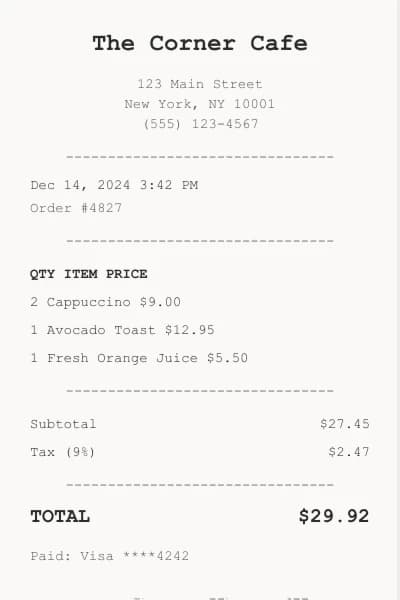
Cafe Receipt
Get vendor, items, and totals instantly
What is QuickReceipt?
QuickReceipt reads a photo of a receipt and turns it into data. Upload the picture and get the store, date, line items, tax, tip, total and payment method, ready to export to a spreadsheet or accounting app. One credit per receipt, every export format included. Credit packs start at $4.99. No subscription, and credits never expire.
How does receipt scanning work?
A vision AI model reads the receipt image and fills in a fixed set of fields: merchant details, date and time, each item with quantity and price, subtotal, tax, tip, total, payment method and receipt number. Fields that are not printed on the receipt are left empty.
- 1
Photograph the receipt
Flat, in good light, filling the frame.
- 2
Upload it
PNG, JPG, WebP, HEIC or HEIF, up to 10MB.
- 3
Check the extracted data
Store, items, tax and totals laid out for review.
- 4
Export
CSV, Excel, QIF, OFX, JSON, PDF and more from one scan.
Why use QuickReceipt?
- CSV and Excel for spreadsheets, QIF and OFX for accounting apps
- Every line item with its quantity and price
- No subscription: pay per receipt with a credit pack
- If a scan fails, the credit goes back to your balance
- Uploaded and processed files are deleted automatically within an hour
Best for
Expense reports, freelancer and small business bookkeeping, splitting shared bills, and keeping a searchable record of receipts before the thermal paper fades.
Popular QuickReceipt conversions
Often used next
- JoinPDF: Combine receipt PDFs into one file for your accountant.
Simple Pricing
Buy credits once, use them anytime. No subscriptions.
Micro
$4.99Starter
$19.99Pro
$49.99Business
$99.99If a file fails to process, its credit goes back to your balance automatically. Your files are deleted after download or within 1 hour.
Developer API
Integrate QuickReceipt into your apps, workflows, and automation
API Access
Use QuickReceipt in your apps. Same credits as web - 1 credit per operation.
# File upload
# The @ symbol tells curl to read from a file path
curl -X POST https://quickreceipt.app/api/v1/process \
  -H "Authorization: Bearer YOUR_API_KEY" \
  -F "file=@image.jpg"

# URL input
curl -X POST https://quickreceipt.app/api/v1/process \
  -H "Authorization: Bearer YOUR_API_KEY" \
  -H "Content-Type: application/json" \
  -d '{"url": "https://example.com/image.jpg"}'
Response:
{
  "success": true,
  "downloadUrl": "https://quickreceipt.app/api/outputs/abc123.png?token=...",
  "expiresIn": 3600,
  "creditsUsed": 1,
  "creditsRemaining": 19
}
Additional Endpoints:
GET /api/v1/creditsCheck your credit balance
GET /api/v1/job/:idCheck job status (for async processing)
Sign in to generate your API key and start integrating.
Frequently Asked Questions
What data does QuickReceipt pull from a receipt?
QuickReceipt reads the store name, date, time, address and phone, each line item with quantity and price, subtotal, tax, tip, total, payment method, card last four digits, currency and receipt number. Fields that are not printed on the receipt are left empty.
Which export formats can I download?
One scan gives you every export: CSV and Excel for spreadsheets, QIF and OFX for accounting and budgeting apps, JSON, XML and YAML for developers, a PDF receipt, a PDF report, plain text and Markdown. Download as many of them as you need without using another credit.
Does QuickReceipt work with crumpled or faded receipts?
Usually, if the print is still readable. Flatten the receipt, photograph it straight on in good light and fill the frame. Thermal paper fades over time, so scan receipts soon after you get them. If a scan fails to process, the credit goes back to your balance.
Do credits expire?
Never! Once you purchase a credit pack, you can use those credits anytime - there's no expiration date or time limit.
Can I try before buying?
This tool has no free preview. The smallest pack covers a few files, so a first try costs little, and if a file fails to process, its credit goes back to your balance automatically. Credits never expire, so anything left over is there for your next job.
How does this compare to subscriptions?
Unlike monthly subscriptions that charge you even if you don't use the service, you only pay for what you actually use. Perfect for occasional users who don't need unlimited access.
What if I need more credits?
You can purchase additional credit packs anytime. Your credits accumulate, so buying multiple packs adds to your total balance.
Is my payment secure?
Absolutely! All payments are processed securely through Stripe, one of the world's most trusted payment processors. We never see or store your credit card information.
What happens to my files?
Your privacy is our priority. Uploaded files are deleted immediately after processing. Your results are available for download for up to 1 hour and are deleted after you download them. Only you can access your processed files.